How to setup a Persistent Volume using EFS
Last updated: June 26, 2025
Setup Persistent Volume
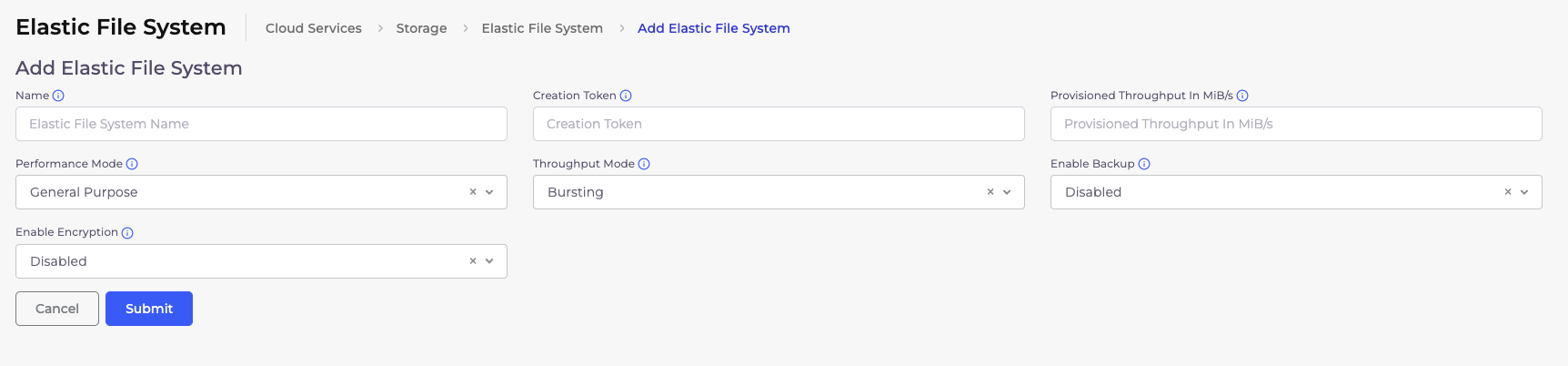
Create an EFS using Duplocloud portal in your tenant
Cloud Service --> Storage --> EFS --> Click "+ Add" button
Name - EFS name
Performance Mode - General Purpose
Throughput Mode - Bursting
Enable Backup - Disabled
Enable Encryption - Enable
Now create a storage class
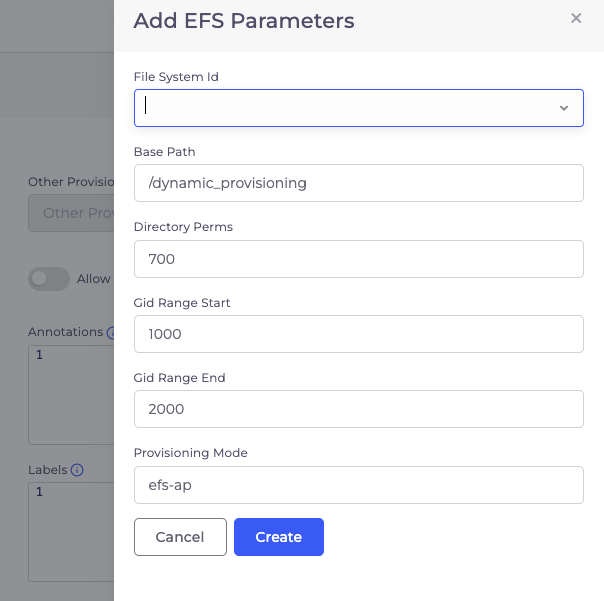
Kubernetes --> Storage --> Storage class --> Click "+ Add" button
Name - Storage class name
Provisioner - efs.csi.aws.com
Reclaim Policy - Delete
Volume Binding Mode - Immediate
Parameters --> Click "Set EFS parameters" --> Choose the EFS volume created in step 1
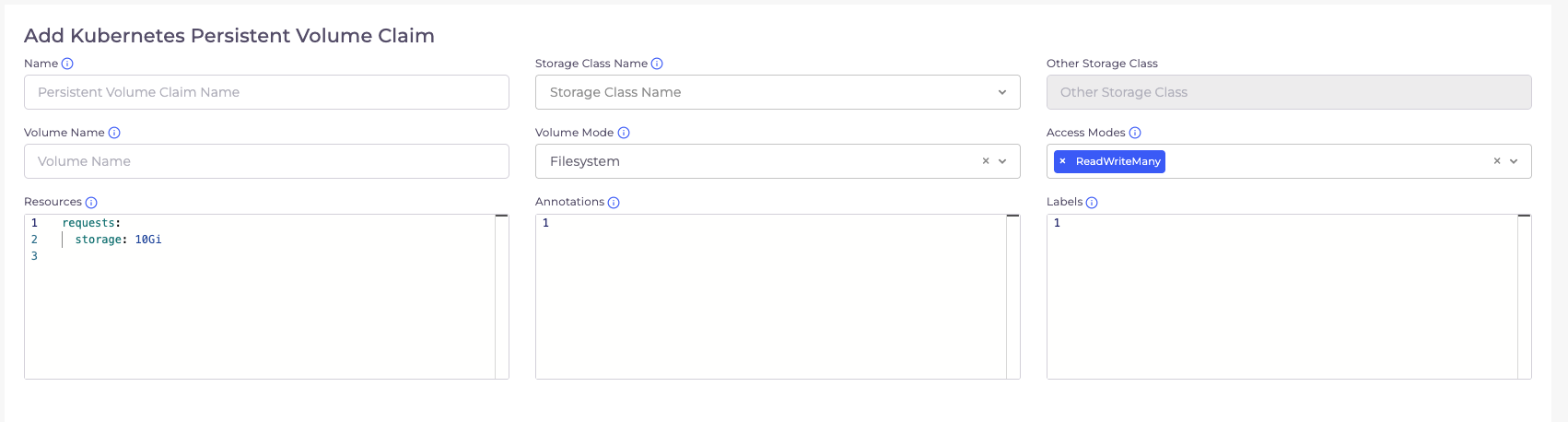
Create a new Persistent Volume Claim (PVC)
Name - PVC name
Storage Class Name - Choose the Storage class created in step 2
Volume Name - Same as Name
Volume Mode- Filesystem
Access Mode - ReadWriteMany
Resources - Update the storage value as per your need . Default is 10Gi
Update your service configuration to include the new PVC.
- Name: test
  Path: /usr/share/nginx/html # this is the path to mount the EFS volume
  Spec:
    PersistentVolumeClaim:
      claimName: test # PVC name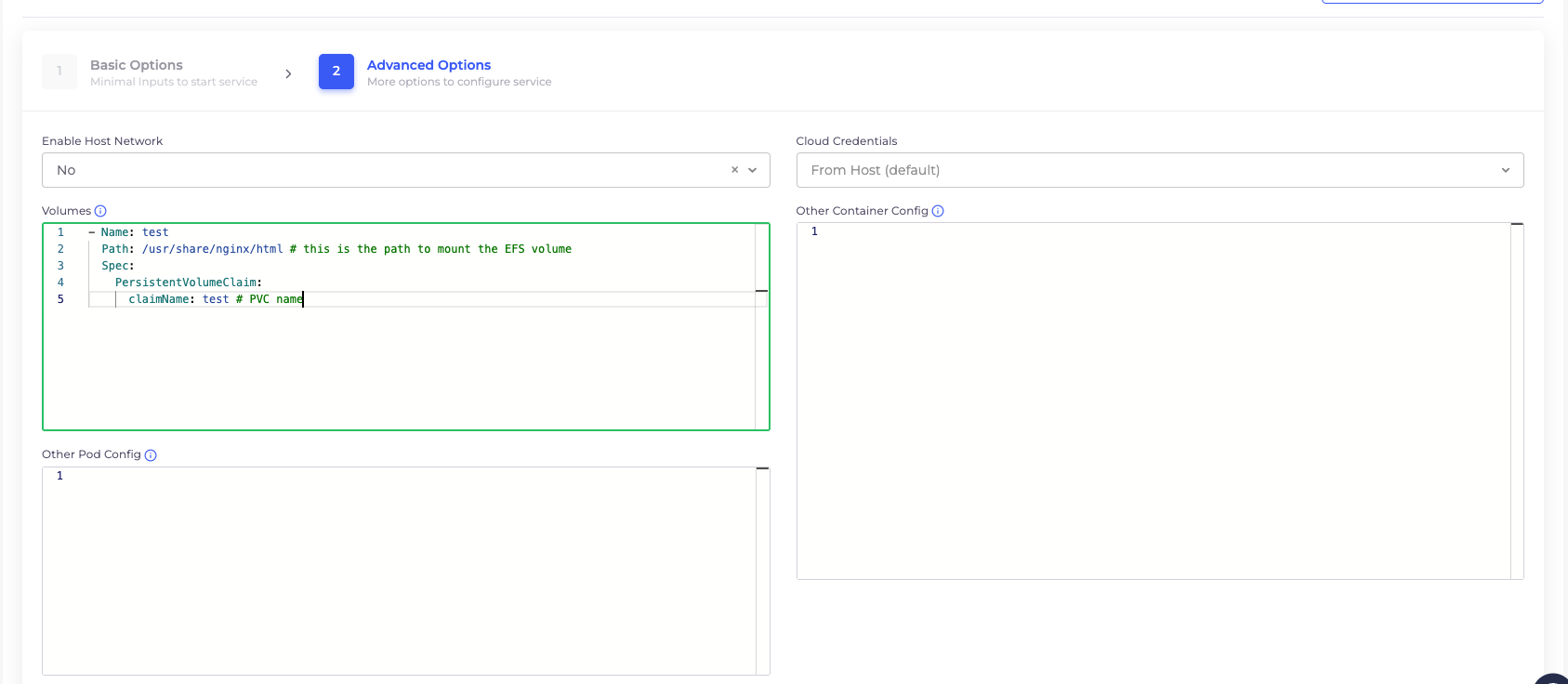
Save the changes.
Note: Implementing these changes will require a service restart. Ensure you plan for a brief downtime during this configuration.
Usage
Once configured, the directory will persist across container restarts and redeployments. This ensures your data stored within the path mentioned in the volume remain intact.